Item Types
This guide will walk you through the Items that can be created.
Make sure you ran the Project Patcher and setup your Unity Project properly
Possible Items
You can create the Following Items:
- Static Items
- Animation Items
Necessary Folders
A Modpack is structured the Following:
My Mod
├── Example Modpack
│   ├── Content
│   │   ├── Objects (Put your Custom Items here)
│   │   │   ├── Brick Block
│   │   │   └── ...
│   │   ├── Package Icons (Contains the Sprites shown in the Package Tab for sorting Items)
│   │   └── packagename.json (Contains the Name displayed on Package Tab)
│   ├── Icon
│   └── New Modpack
New Modpack is a Tool to build the Project and make it ready for both uploading it on Thunderstore and using it yourself in the Game.
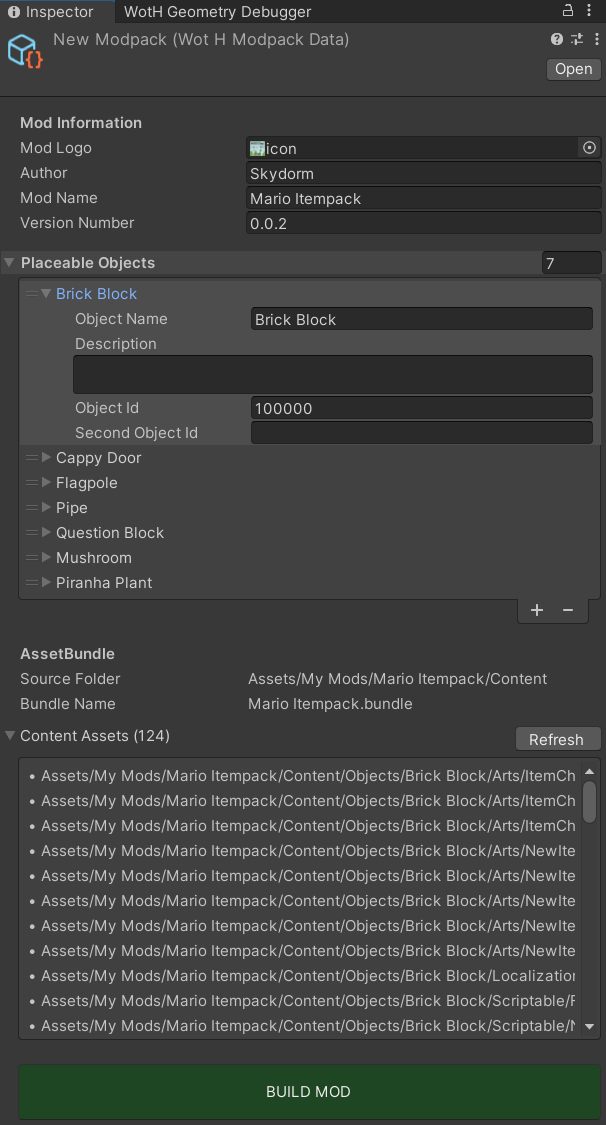
The Mod Logo is mainly used for the Thunderstore Page. The Placeable Objects List can display all the Objects you created by manually fill out the fields. It's recommended to do it to keep a proper Overview of your Modpack and show others, what the Mod contains.
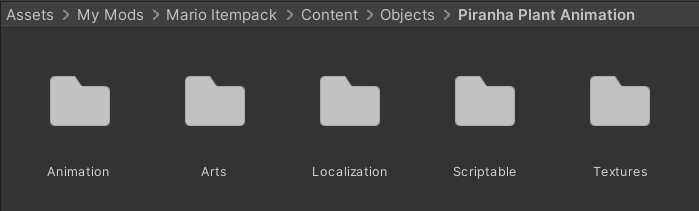
A custom Object can have up to 5 Main Folders. What Folder is necessary for which item will be explained in the next Chapter.
Item Template
For designing your Items you can use the following Template:
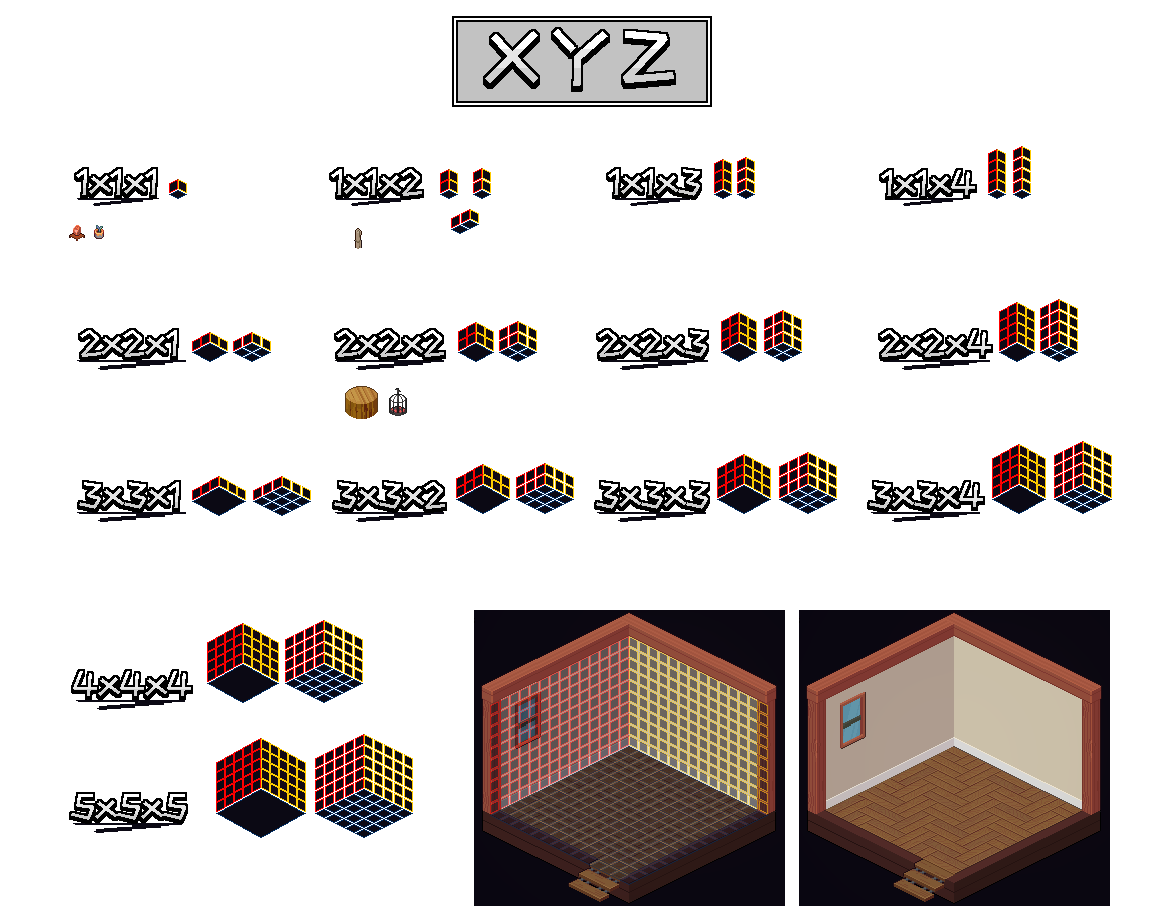
Red fields are X-Axis, Yellow is Y-Axis and the Height is the Z-Axis.
It's recommended to make yourself comfortable with this Process, since it's required for certain Settings. Right Click Image to Save it.